Cookie banners
Cookie banners are annoying. Declining them often means much more effort than accepting them. And altogether, they shouldn’t even exist at all in my opinion.

There could have been a global Web Browser setting like the DO NOT TRACK header, that could have meant “No, I don’t want tracking cookies and I don’t want to see a cookie banner. No means no!” for all websites by law. I had actually seen one major German website behave like this in the past. Nowadays, the header is mostly abandoned by the major web browsers.
The solution
I found out that one of the web browser extensions I was already using (and which is kind of essential to use the world wide web nowadays) offers the solution.
uBlock Origin has filter lists for this.
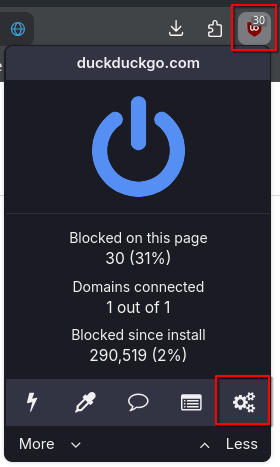
To activate them, open the extension menu and click on the “Dashboard” icon:
After that, scroll down a bit and activate “EasyList/uBO – Cookie Notices” under “Cookie notices”:
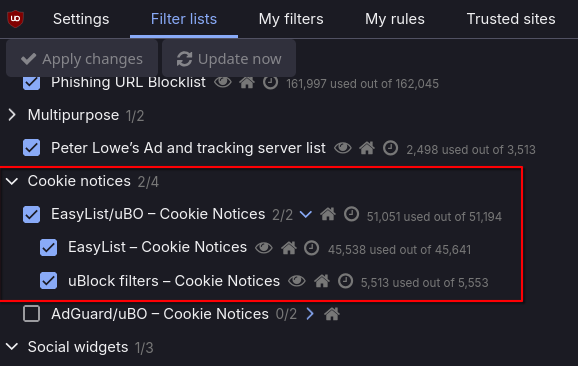
And after that, most of the cookie banners are gone. It seems that the filter list contains CSS filters (> 30,000 lines in total) that target the banners to hide them.
It made the world wide web much more usable for me and I regret that I had to wait too long to find out about this. Give it a shot!